
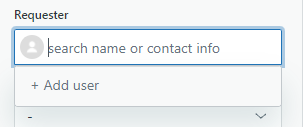
When creating a ticket in ZenDesk, you will likely need to add a client into the database for routing and future ticketing purposes. To do this while creating a ticket, click on the Requester field, then choose the "+ Add user" option.
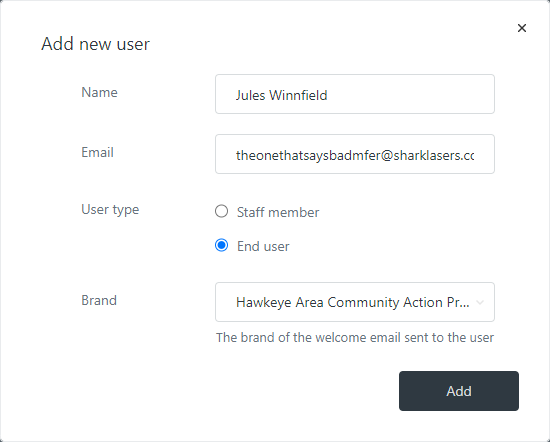
You will be presented with an in-window popup form to add more information. Add the client's name and email in the appropriate fields (if they are being added from a live chat session, you will have to ask the client for their email address), and make sure "End User" is selected for the user type.
Once you have added the client this way, their name can be searched and added to future tickets.
Comments
0 comments
Please sign in to leave a comment.