
One of Zendesk's most important client management features is the ability to review previous tickets submitted by the same client. Zendesk uses clients names and emails to build profiles for individual clients, and so long as a client's name and email remains the same each time they contact HACAP, their profile will be updated with new tickets.
When chatting with a client, an agent can access their ticket history by clicking on their name in the information bar above the ticket itself. This option is usually sandwiched between "Organization" tab (used by Zendesk for business contacts, this tab can largely be ignored for HACAP's purposes) and the ticket number itself.
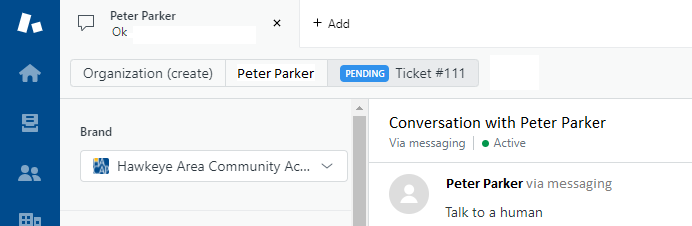
Clicking a client's name will open their ticket history in a new tab, which allows agents to freely review previous tickets from the client without closing out of the current conversation. Tickets in this view can also be opened to allow for more in-depth investigation of previous client ticket experiences and resolutions.
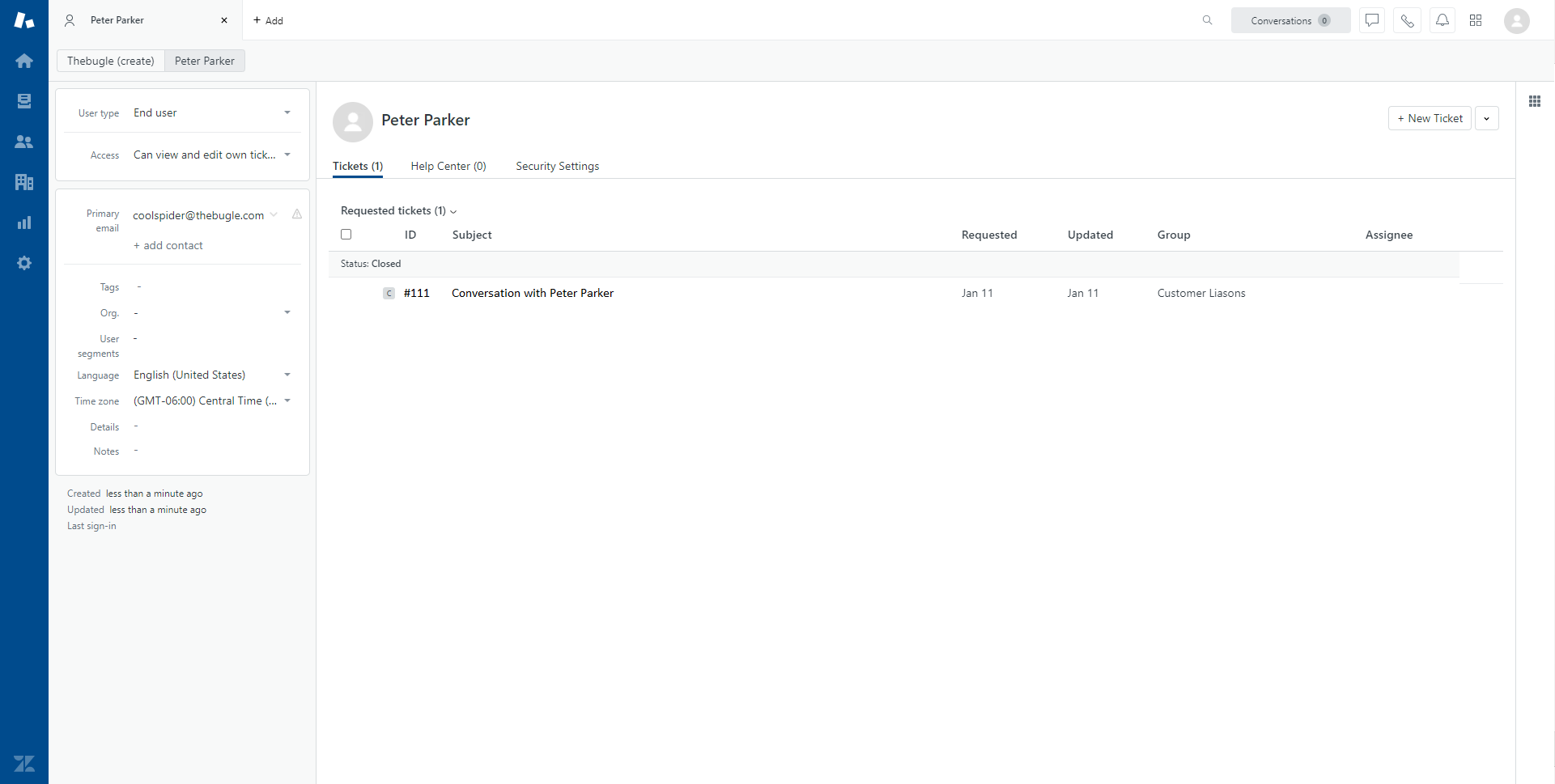
Click image to enlarge
Comments
0 comments
Please sign in to leave a comment.