
While chatting with clients is an integral part of Zendesk, there will be many times when there simply won't be any clients to chat with, and it would be unreasonable to expect agents to actively monitor their dashboard when they have other things to do. Because of this, agents can set up notifications in Zendesk that can passively let them know if a client is chatting.
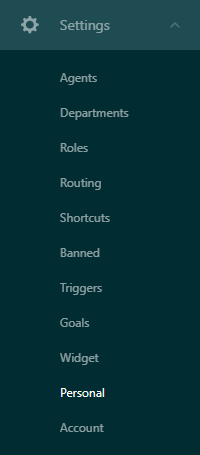
To enable notifications for chat, navigate to the Chat subsection, then in the side menu go to Settings > Personal.
This opens up your personal chat settings. From here, navigate to the Sounds & Notifications tab, and choose any and all updates you wish to be notified for, as well as what sounds you would like to hear for each notification. When you are satisfied, click "Save changes".
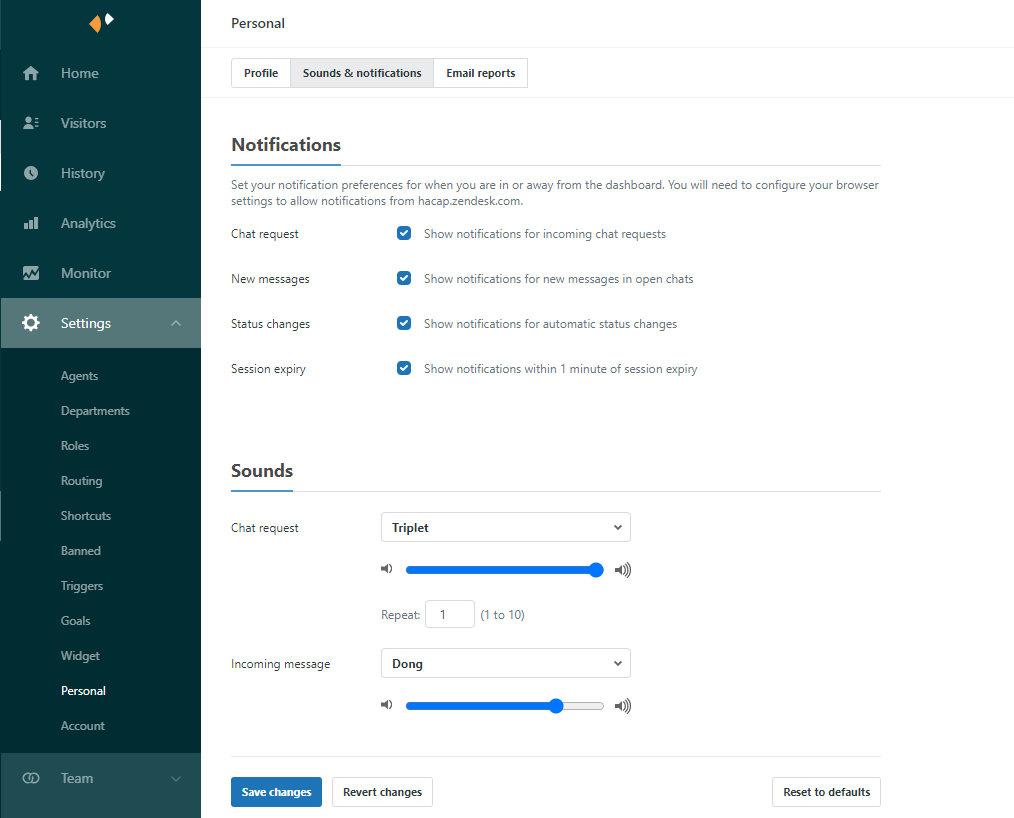
Please note that Zendesk notifications only work if you allow notifications from your browser. To enable/check the status of your browser notifications, please use one of the following links (choose whichever browser you currently use for Zendesk).
Comments
0 comments
Please sign in to leave a comment.